

01
Track the target continuously across frames
Keeps a stable lock on the target over long sequences, handling scale change, fast motion and camera movement without drifting to the background
Overview
AI-powered visual object tracking library
The ViAiTrackerLT object tracking library is built on artificial intelligence, with its core algorithm optimized for modern hardware accelerators such as NVIDIA GPUs and NPU-equipped embedded hardware. ViAiTrackerLT tracks objects in real time, accurately and stably over long periods, even when they are small and highly maneuverable. Tests show that ViAiTrackerLT reaches 200+ FPS on NVIDIA GPUs and 100+ FPS on embedded hardware with 2-6 TOPS of compute. Ready to integrate into a wide range of platforms such as robots, UAVs, UGVs, USVs and air defense systems.
A compact native core that brings AI-grade tracking to your application - from desktop GPUs to embedded edge devices
01
Keeps a stable lock on the target over long sequences, handling scale change, fast motion and camera movement without drifting to the background

02
Tight, frame-accurate bounding boxes give downstream loops - gimbal control, autopilot guidance or analytics - clean, low-jitter measurements

03
When the target is occluded or leaves the frame, ViAiTrackerLT reports the loss and re-detects the same target the moment it comes back - no manual re-selection needed

04
Works on thermal (IR) as well as visible-light video, keeping the lock at night, in low light and through haze

05
Keeps a stable lock on distant targets that occupy only a few pixels in the frame, making it well suited to long-range observation

06
Optimized for compact ARM64 boards with only 2-6 TOPS of compute, ViAiTrackerLT keeps 100+ FPS real-time tracking right on the device - no PC or cloud connection required
Real footage processed by ViAiTrackerLT. Hover a clip to preview it, click to play it in the main window
Watch on YouTube: Small target among clouds
This video cannot be played right now
Now playing: Small target among clouds
 Video 1: Small target among clouds
 Video 2: Mountain biker
 Video 3: Aircraft against clouds
 Video 4: Vehicle, aerial view
 Video 5: Aircraft with contrail
 Video 6: Aircraft through clouds
 Video 7: Tiny target in blue sky
 Video 8: Drone near buildings
 Video 9: Tiny target in haze
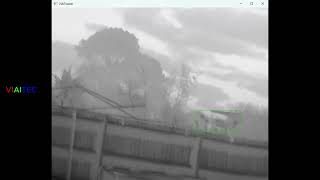 Video 10: Drone over rooftops
 Video 11: Target in infrared
 Video 12: Small target in infrared
 Video 13: Infrared small-target tracking
 Video 14: Small target with high maneuverability
 Video 15: Target tracking on ARM platform
Evaluate ViAiTrackerLT on your own hardware and footage. Tell us about your project and our engineers will prepare an evaluation package for you.
Integrate ViAiTrackerLT into your C++ application and download the technical documentation.
ViAiTrackerLT tracks a target selected in advance; it does not include an object detector such as ViAiDetect. The initial bounding box tells the tracker which object to follow. After that, the tracker's track function is called for every frame and returns the target information: its bounding box and confidence.

The library consists of one class, ViAiTracker, and two data structures, ViAiTrackerConfig and ViAiTrackerResult. All of them are in the ViAi namespace and declared in a single header, ViAiTracker.h.
ViAiTracker (class) - the single-object tracker. The constructor loads the model named in ViAiTrackerConfig; init() takes the first frame and the target box; track() locates the target in every following frame and returns a ViAiTrackerResult; config() / setConfig() read and change the tracking parameters while tracking. An object cannot be copied, because it owns the model engines and the GPU / NPU memory.ViAiTrackerConfig (structure) - the tracker configuration, in two groups. The model group (model, precision, modelsDir, device) selects the model to load and is fixed once the tracker is created. The tracking group (searchFactor, updateInterval, updateThreshold) can be changed at any time with setConfig(). load() reads the configuration from ViAiTracker.cfg, validate() checks it.ViAiTrackerResult (structure) - the result of track() for one frame: box is the target box in pixels (x, y = top-left corner, width, height); score is the confidence, 0..1 - a low value means the target is probably occluded or lost.Full declaration:
namespace ViAi {

/// @brief Everything the tracker needs: which model to load and the tracking parameters.
///
/// Each member matches a key of the [tracker] section of ViAiTracker.cfg (given in brackets). The model members
/// are fixed once a ViAiTracker is created; the tracking parameters can be changed at any time with
/// ViAiTracker::setConfig(). The defaults are the values the models were trained with.
struct ViAiTrackerConfig {
    // ------------------------------------------------------------------ model (fixed when the tracker is created)

    /// @brief [model] Model to run: "ts" - fastest; "bs" more accurate.
    std::string model = "ts";

    /// @brief [precision] Engine precision: "fp32", "fp16" (ts only), "fp16mix" or "amp").
    std::string precision = "fp16mix";

    /// @brief [models_dir] Folder holding the model file ViAiTracker_<model>_<precision>.run.
    ///
    /// A relative path in the cfg file is relative to the cfg file's folder.
    std::string modelsDir = "models";

    /// @brief [device] Index of the CUDA GPU that runs the model.
    int device = 0;

    // ------------------------------------------------------------------ tracking (can change while tracking)

    /// @brief [search_factor] Size of the search region, as a multiple of the target size.
    ///
    /// Every frame a square region of side searchFactor x sqrt(w x h) is cut around the previous target position.
    /// Larger values let the tracker follow faster motion but make the target smaller inside the fixed-size
    /// network input.
    float searchFactor = 3.5f;

    /// @brief [update_interval] Online template update period, in frames (bs only; no effect on ts).
    ///
    /// Every updateInterval frames the current target appearance replaces the second template (if the score
    /// reaches updateThreshold).
    int updateInterval = 25;

    /// @brief [update_threshold] Minimum score (0..1) a frame must reach to be used for a template update (bs only).
    ///
    /// Avoids learning a template from a frame where the target is occluded or lost.
    float updateThreshold = 0.6f;

    /// @brief Reads the [tracker] section of a ViAiTracker.cfg file.
    ///
    /// Other sections belong to the application and are skipped.
    /// @param path Path of the cfg file; relative paths inside it are resolved against its folder.
    /// @return The configuration, already checked with validate().
    /// @throws std::runtime_error if the file cannot be read, or [tracker] has an unknown key or an invalid value.
    static ViAiTrackerConfig load(const std::string& path);

    /// @brief Checks the model / precision combination and the parameter ranges.
    /// @throws std::runtime_error with a readable message on the first problem found.
    void validate() const;
};

/// @brief Output of ViAiTracker::track() for one frame.
struct ViAiTrackerResult {
    /// @brief Estimated target box in image pixels (x, y = top-left corner, width, height).
    cv::Rect2f box;

    /// @brief Tracking confidence, 0..1. Low values mean the target is probably occluded or lost.
    float score = 0;
};

/// @brief Single-object tracker.
///
/// Usage: construct from a ViAiTrackerConfig, call init() with the target box on the first frame, then track()
/// on every following frame.
class ViAiTracker {
public:
    /// @brief Loads the model named by the configuration.
    /// @param config Model, precision, models folder, device and tracking parameters.
    /// @throws std::runtime_error if the configuration is invalid, the model file is missing or cannot be loaded.
    explicit ViAiTracker(const ViAiTrackerConfig& config);

    /// @brief Releases the engines and the GPU / NPU memory.
    ~ViAiTracker();

    ViAiTracker(const ViAiTracker&) = delete;
    ViAiTracker& operator=(const ViAiTracker&) = delete;

    /// @brief Starts tracking a target.
    /// @param bgr Image containing the target, BGR 8UC3 as delivered by OpenCV.
    /// @param box Target box in pixels (x, y = top-left corner, width, height).
    void init(const cv::Mat& bgr, const cv::Rect2f& box);

    /// @brief Locates the target in the next frame.
    /// @param bgr Next video frame, BGR 8UC3.
    /// @return Target box and confidence score.
    ViAiTrackerResult track(const cv::Mat& bgr);

    /// @brief Current configuration.
    /// @return Reference to the configuration used by track().
    const ViAiTrackerConfig& config() const;

    /// @brief Changes the tracking parameters (searchFactor, updateInterval, updateThreshold); takes effect from
    /// the next track() call.
    /// @param config New configuration; its model members must equal the current ones.
    /// @throws std::runtime_error if a model member differs (create a new tracker for another model) or a
    /// parameter is out of range.
    void setConfig(const ViAiTrackerConfig& config);

private:
    /// @brief Gives VIAITEC's internal tools (src/ViAiTrackerDev.h) read access to the implementation.
    friend struct ViAiTrackerDevAccess;

    /// @brief Implementation (model description, engines, tracking state), defined in ViAiTracker.cpp.
    struct Impl;

    /// @brief Owns the implementation.
    std::unique_ptr<Impl> impl_;
};

} // namespace ViAiViAiTrackerLT is delivered as a precompiled SDK: one header (ViAiTracker.h) and one library per platform (static .lib on Windows, shared .so on Linux), usable from any IDE that supports C++17.
| Hardware | Platform / compiler | Also link |
|---|---|---|
| NVIDIA GPU VIAI_BACKEND=NVIDIA | Windows x64: MSVC 2019 / 2022 Linux x86_64 (PC): GCC 9+ NVIDIA Jetson (AGX Orin, Orin NX...), Linux ARM64: GCC 9+ (JetPack) | TensorRT 10 (nvinfer), CUDA 12 runtime (cudart), OpenCV |
| Rockchip NPU VIAI_BACKEND=RKNN | Linux ARM64: GCC 9+ | RKNN runtime (librknnrt.so, rknn_api.h), OpenCV |
ViAiTracker/
├── include/
│   └── ViAiTracker.h          header (the whole API)
├── lib/
│   ├── ViAiTracker.lib        Windows, Release
│   ├── ViAiTrackerd.lib       Windows, Debug
│   └── libViAiTracker.so      Linux
├── models/                    *.model, converted on the target machine to *.run
├── ViAiTrackerModelBuilder    tool that creates the *.run files
└── ViAiTracker.cfg example configuration# compiler, CMake, OpenCV
sudo apt-get install build-essential cmake libopencv-dev
# NVIDIA PC (x86_64): install CUDA Toolkit 12 and TensorRT 10 from NVIDIA,
# then pass -DTENSORRT_ROOT=<TensorRT folder> to CMake
# NVIDIA Jetson: CUDA and TensorRT are part of JetPack - nothing to install
# Rockchip RK3588: copy librknnrt.so of the RKNN runtime to /usr/libCopy the SDK folder into your repository (for example into 3rdparty/) and add it to your CMakeLists.txt - the same file on every platform.
my_app/
├── CMakeLists.txt
├── src/
│   └── main.cpp
└── 3rdparty/
└── ViAiTracker/ the SDK packagecmake_minimum_required(VERSION 3.16)
project(my_app CXX)
set(CMAKE_CXX_STANDARD 17)
set(CMAKE_CXX_STANDARD_REQUIRED ON)
find_package(OpenCV REQUIRED COMPONENTS core imgproc videoio)
# ViAiTracker package: include/ViAiTracker.h and lib/ (ViAiTracker.lib on Windows, libViAiTracker.so on Linux)
set(VIAI_DIR ${CMAKE_SOURCE_DIR}/3rdparty/ViAiTracker)
# Hardware: NVIDIA (TensorRT + CUDA) or RKNN (Rockchip NPU)
set(VIAI_BACKEND "NVIDIA" CACHE STRING "NVIDIA or RKNN")
if(WIN32)
# Windows: static library ViAiTracker.lib (Debug configuration: ViAiTrackerd.lib)
add_library(ViAiTracker STATIC IMPORTED)
set_target_properties(ViAiTracker PROPERTIES
IMPORTED_LOCATION ${VIAI_DIR}/lib/ViAiTracker.lib
IMPORTED_LOCATION_DEBUG ${VIAI_DIR}/lib/ViAiTrackerd.lib)
else()
# Linux: shared library libViAiTracker.so
add_library(ViAiTracker SHARED IMPORTED)
set_target_properties(ViAiTracker PROPERTIES
IMPORTED_LOCATION ${VIAI_DIR}/lib/libViAiTracker.so)
endif()
set_property(TARGET ViAiTracker PROPERTY INTERFACE_INCLUDE_DIRECTORIES ${VIAI_DIR}/include)
if(VIAI_BACKEND STREQUAL "NVIDIA")
find_package(CUDAToolkit REQUIRED)
# TensorRT folder (include/, lib/)
set(TENSORRT_ROOT "" CACHE PATH "TensorRT root")
find_library(NVINFER NAMES nvinfer_10 nvinfer HINTS ${TENSORRT_ROOT}/lib REQUIRED)
set(VIAI_DEPS ${NVINFER} CUDA::cudart)
else()
# Folder holding rknn_api.h and librknnrt.so (e.g. the Rockchip SDK runtime)
set(RKNN_ROOT "" CACHE PATH "RKNN runtime root")
find_library(RKNNRT NAMES rknnrt HINTS ${RKNN_ROOT}/lib /usr/lib REQUIRED)
set(VIAI_DEPS ${RKNNRT})
endif()
set_property(TARGET ViAiTracker PROPERTY INTERFACE_LINK_LIBRARIES "${OpenCV_LIBS};${VIAI_DEPS}")
add_executable(my_app src/main.cpp)
target_link_libraries(my_app PRIVATE ViAiTracker)
if(NOT WIN32)
# Linux: libViAiTracker.so placed next to the executable is found at run time
set_target_properties(my_app PROPERTIES BUILD_RPATH "$ORIGIN" INSTALL_RPATH "$ORIGIN")
endif()Project without CMake (qmake, .vcxproj...): add the SDK include/ folder to the include path and link ViAiTracker.lib / libViAiTracker.so together with the hardware libraries listed under Requirements.
cd my_app && mkdir build && cd build

# NVIDIA (PC or Jetson)
cmake .. -DCMAKE_BUILD_TYPE=Release -DVIAI_BACKEND=NVIDIA -DTENSORRT_ROOT=/opt/TensorRT
# Rockchip RK3588
cmake .. -DCMAKE_BUILD_TYPE=Release -DVIAI_BACKEND=RKNN

make -j$(nproc)cmake -B build -S . -DVIAI_BACKEND=NVIDIA -DTENSORRT_ROOT=C:/TensorRT-10
cmake --build build --config Release| Option | Default | Description |
|---|---|---|
VIAI_BACKEND | NVIDIA | Hardware: NVIDIA (TensorRT + CUDA) or RKNN (Rockchip NPU). |
TENSORRT_ROOT | empty | TensorRT folder (contains include/ and lib/). Needed on Windows and Linux PCs; on Jetson leave it empty. |
RKNN_ROOT | empty | Folder holding librknnrt.so; empty = search the system folders (/usr/lib). |
OpenCV_DIR | empty | Standard CMake variable: folder of OpenCVConfig.cmake when OpenCV is not installed system-wide (usual on Windows). |
ViAiTrackerd.lib, the other configurations (Release, RelWithDebInfo) link ViAiTracker.lib – the CMakeLists.txt above already does this. The library uses the dynamic C++ runtime (/MD, /MDd), the default of Visual Studio and CMake. Mixing Debug/Release builds or using the static runtime (/MT) causes linker errors, usually LNK2038..run file on the machine that runs the tracker with ViAiTrackerModelBuilder and put it in modelsDir. A .run file is locked to that machine and does not work when copied to another one..exe (or add their folders to PATH).libViAiTracker.so next to the executable - the CMakeLists.txt above makes the program look there (RPATH $ORIGIN).LD_LIBRARY_PATH.librknnrt.so in /usr/lib.Initialize the tracker, select the target and track every video frame.
#include "ViAiTracker.h"
#include <opencv2/videoio.hpp>

int main()
{
    // Initialization (the model is loaded once)
    ViAi::ViAiTrackerConfig cfg = ViAi::ViAiTrackerConfig::load("ViAiTracker.cfg");
    // or in code: cfg.model = "ts"; cfg.precision = "fp16mix"; cfg.modelsDir = "models";
    ViAi::ViAiTracker tracker(cfg);   // throws std::runtime_error on a missing model / invalid setting

    cv::VideoCapture cap("input.mp4");
    cv::Mat frame;
    cap.read(frame);

    // Select the target (once, after the user clicks on it or from a detector)
    tracker.init(frame, cv::Rect2f(420, 260, 64, 48));

    // Tracking loop (every frame)
    while (cap.read(frame)) {
        const ViAi::ViAiTrackerResult r = tracker.track(frame);
        if (r.score >= 0.3f) {
            // r.box - target position (x, y, w, h) in pixels
        } else {
            // low confidence: the target is probably occluded or lost
        }
    }
    return 0;
}ViAiTrackerConfig::load() reads the [tracker] section of this file (INI style: key = value, comments start with ;). Other sections belong to your application and are ignored. Missing keys keep their default value.
| Key | Default | Meaning | setConfig() |
|---|---|---|---|
model | ts | ts - fastest, bs - more accurate | no |
precision | fp16mix | fp32, fp16 (ts only), fp16mix or amp | no |
models_dir | models | Folder of the .run model file; a relative path is relative to the cfg file | no |
device | 0 | Index of the GPU that runs the model | no |
search_factor | 3.5 | Search region = search_factor x target size; larger follows faster motion | yes |
update_interval | 25 | Template update period in frames (bs only) | yes |
update_threshold | 0.6 | Minimum score (0..1) to update the template (bs only) | yes |
[tracker]
; Model: ts (fastest) | bs (more accurate)
model = ts
; Precision: fp32 | fp16 (ts only) | fp16mix | amp
precision = fp16mix
; Folder of the .run model file (relative to this file)
models_dir = models
; GPU index
device = 0
; Search region = search_factor x target size
search_factor = 3.5
; Template update (bs only): every update_interval frames if score > update_threshold
update_interval = 25
update_threshold = 0.6Technical documents and trial software for ViAiTrackerLT
Content is being updated
Content is being updated
Downloads require a customer account. VIAITEC reviews each request and e-mails a download link that works once and is valid for 24 hours. Questions? Contact us.